A lodge can look perfect for a working month: mountain views, a fireplace, a slower rhythm of life. But one bad connection or a missing desk can turn that dream stay into a productivity disaster. Unlike city hotels, lodge stays for remote work come with real risks around Wi-Fi, workspace and quiet, and those risks are easy to miss in glossy photos.
This guide walks you through exactly what to check before you book. We look at why lodges need more vetting than hotels, how to test the Wi-Fi before you commit, and what a genuinely work-friendly lodge should have on site. Then we cover realistic costs and booking lead times, how to pick a region that fits your work hours, and the questions to send your host before paying a deposit. A short list of smart checks now can be the difference between a productive month and a frustrating one.
Why Lodge Stays for Remote Work Need More Vetting Than Hotels
Lodges are usually built where the scenery is best, and the scenery is rarely next to good infrastructure. Remote valleys, national parks and lakeside locations often sit beyond the last stretch of fiber, which tends to stop at the village edge. From there, connections run on older copper lines, radio links or satellite, and speeds can drop below 10 Mbps. That is enough to stream a film in the evening, but it can make a full day of video calls painful.
Built for holidaymakers, not workers
Most lodges are designed around relaxation, not productivity. Desks are frequently missing, chairs are decorative rather than ergonomic, and power outlets cluster around the bed or sit behind heavy furniture. If you plan to work eight hours a day from a small table with one outlet, that is a real problem, not a minor annoyance.
Rustic charm brings another trade-off: thin walls, open-plan layouts and shared lounges. Fireplaces crackle, guests chat over dinner a few meters away, and staff move through common areas all day. If your job involves calls with clients or back-to-back meetings, you need a room where you can close a door and be heard clearly. A hotel in town often handles this better by default, which is exactly why lodge stays for remote work deserve extra scrutiny before you commit.
Testing the Wi-Fi Before You Commit
Wi-Fi is the make-or-break factor for a lodge work stay, so treat it like a contract term rather than a nice extra. Start by asking the host for a recent speed test screenshot, not just a verbal assurance. You want to see at least 25 Mbps download and 10 Mbps upload. Upload matters more than most people realize, because video calls, screen sharing and file uploads all depend on it. A screenshot with a date on it also tells you the host takes the question seriously.
Next, confirm where the signal actually reaches. Some lodges have strong Wi-Fi in the main building but a weak or absent signal in individual rooms, which means working from a communal lounge surrounded by other guests. Also ask whether the connection is satellite, since satellite adds noticeable lag that shows up as awkward delays on video calls even when the speed looks fine on paper. If you want a sense of how lodge pricing and quality vary, reading about what a stay at an African safari lodge really costs gives useful context before you compare options.
Finally, plan a backup before you need one. Rural dead zones are common, and even a good lodge connection can fail during a storm. A few things worth arranging in advance:
- A local eSIM with 10-30 GB per month, activated before you arrive so you are not hunting for a shop on day one while a deadline looms.
- A mobile hotspot or your phone’s tethering feature, tested with your own carrier at home so you know exactly how it behaves under load.
- A quick check of network coverage maps for the lodge’s specific area, since coverage can change dramatically within a few kilometers in valleys and mountain terrain.
What a Work-Friendly Lodge Should Have On Site
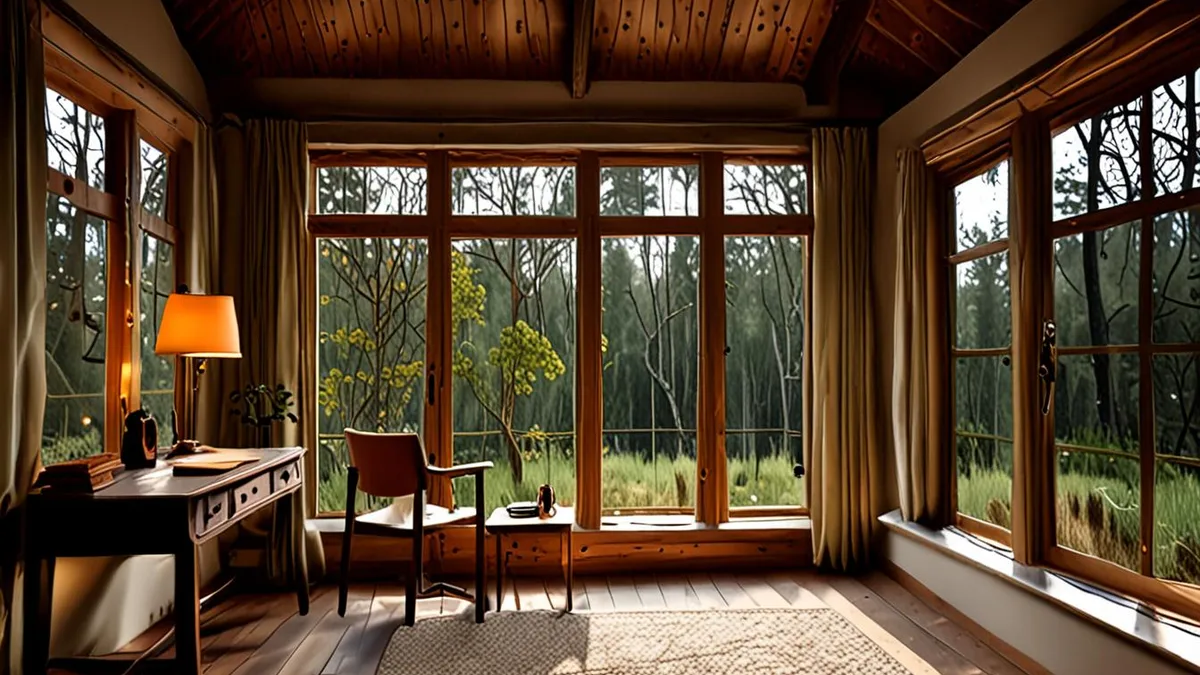
Once connectivity is settled, the workspace itself decides whether a month at the lodge is pleasant or punishing. The core requirement is simple: a dedicated desk or table with a comfortable chair, and at least two power outlets within reach. Two outlets matter because you will likely run a laptop charger plus a phone, headphones or a second screen at the same time. If the host cannot confirm this before booking, assume the answer is no and pack accordingly, or choose another property.
Quiet is the second pillar. Ask for a room away from the dining area, the kitchen and any activity hub, since lodges often center social life around a shared lounge or restaurant. You also want reliable mobile coverage in your room, because it gives you a fallback for calls if the Wi-Fi drops mid-meeting. A room with one bar of signal is a safety net; a room with none leaves you stuck.
Food logistics round out the picture, and a few specifics are worth pinning down:
- Self-catering facilities with a real stove, fridge and basic cookware, so you can eat around your schedule instead of around the kitchen’s.
- If meals are provided, reliable and stated meal times, so a lunch service that runs from early afternoon does not collide with your working block.
- Whether housekeeping can be scheduled around your calls, since a cleaner vacuuming during a client presentation is an avoidable disaster.
Costs and Booking Lead Times
Lodge pricing varies a lot by region and season, but there is a realistic starting point: budget roughly $80-250 per night for a lodge with dependable connectivity outside peak season. The lower end usually gets you a simple room in a quieter area, while the top of that range typically means more space, better views or a property that actively markets itself to remote workers. If a rate sits well below that band, treat the Wi-Fi claims with extra caution and verify before paying a deposit.
How long-stay discounts work
Most lodges that welcome longer bookings start offering discounts from 7 nights, and the savings can cut nightly rates by 20-40%. That is a meaningful difference over a month: a lodge that looks expensive per night can become very affordable once the long-stay rate applies. Always ask directly, because discounts are often negotiated by email rather than shown on booking platforms, and some hosts will add extras like laundry or airport transfers instead of lowering the rate.
Timing your booking
Shoulder-season windows in May-June and September-October offer the best combination of low prices, thin crowds and usually stable weather. Book 2-3 months ahead for these periods, especially if you need a specific room away from the dining area or a lodge with only a handful of work-friendly setups. Popular lodges with reliable internet are exactly the ones that fill first, so waiting until the last minute rarely pays off. Check current rates with the property directly, since published prices change from year to year.
Picking a Region That Fits Your Work Hours
Your time zone should shape where you book, not the other way around. If your team or clients cluster in one region, pick a lodge destination where your working hours overlap naturally with daylight hours, so you are not taking calls at midnight or missing evening meals.
Europe for US East Coast mornings
Lodges in Slovenia, Austria or Scotland suit US East Coast mornings particularly well, thanks to a 5-6 hour time difference. You can work a full morning while colleagues back home are still at their desks, then log off in the early afternoon for a hike, a lake swim or a long lunch. This schedule also keeps you clear of the busiest hours in the lodge’s shared spaces, since most holidaymakers head out for the day while you work.
Matching terrain to your call schedule
Mountain and fjord lodges generally offer strong mobile coverage in the villages themselves, but dead zones appear quickly once you head out on trails. If your afternoons are free, plan calls before excursions and treat hikes as offline time. Beach and lake lodges on the Albanian Riviera or near Killarney pair well with afternoon-off schedules: you finish your workday, then step straight into swimming, boat trips or shoreline walks. Whichever region you choose, check the local mobile coverage map and confirm your lodge’s exact position relative to the nearest village before committing.
Questions to Send the Host Before Booking
A short, specific email before booking saves weeks of frustration later. Hosts are usually happy to answer direct questions, and the way they respond tells you as much as the answers themselves. A vague or evasive reply about connectivity is a warning sign in itself, while a host who sends screenshots and details without prompting is showing exactly how they run their lodge. Send your questions as a numbered list so nothing gets skipped or conveniently forgotten in the reply.
- Ask for exact speed test results. Request a recent screenshot showing download and upload speeds, not just a vague “fast Wi-Fi” claim. The numbers should comfortably clear 25 Mbps download and 10 Mbps upload for smooth video calls.
- Ask whether bandwidth is shared. If the connection is split among several rooms or guests, evening congestion can slow it to a crawl right when you are wrapping up your workday. Also ask about any data caps or fair-use limits that could throttle you halfway through a month.
- Confirm the desk setup and outlets. Check that there is a dedicated desk or table with a comfortable chair, and at least two power outlets within reach of it. A beautiful room with one outlet behind the bed is not a workspace.
- Ask about noise and interruptions. Find out whether housekeeping visits at set times, how close your room is to the dining area, and whether activities like guided hikes or evening entertainment could interrupt your calls.
- Request the cancellation terms for long stays. Get them in writing, specifically covering the scenario where the connection fails on arrival. A clear exit clause is your only real protection if the Wi-Fi turns out to be unusable once you have already moved in.
Keep the whole exchange in email rather than phone calls, so you have a written record of every promise made. If a host answers one question but dodges another, follow up before you pay anything. Someone who answers promptly and precisely will usually run their lodge the same way, and that consistency is exactly what a month of remote work depends on.
Wrapping Up Your Lodge Work Stay
A lodge can look perfect in the photos, but a working month lives or dies on details that never make it into the listing: a slow connection, a missing desk, a thin wall between you and the dining room. Vet connectivity, workspace and quiet first, and only then compare nightly costs of roughly $80-250 and long-stay discounts of 20-40%. The order matters, because no discount makes up for a month of dropped calls.
Once the essentials check out, book 2-3 months ahead for a May-June or September-October window, and keep an eSIM backup ready in case the lodge Wi-Fi disappoints. A short list of host questions before booking is what separates a productive month from a frustrating one. If this helped you plan your own work stay, leave a comment or share the article with a fellow remote worker.